DashAPI Installation
The DashAPI is capable of running in isolation, which is beneficial for writing APIs in other software or complex integration environments. Although row64server is not required, the DashAPI benefits from being installed on a server with row64server installed due to having immediate access to the .ramdb file paths. When row64server is installed, the DashAPI automatically retrieves the .ramdb file paths and links them.
The DashAPI is a feature in row64tools. To access the DashAPI, you need to install row64tools. To install row64tools, please refer to the row64tools Installation API page.
Verify Setup
To verify your setup, you can review the following steps. These steps are also covered in the row64tools Installation page. If you have any issues, please refer to the row64tools installation page for detailed instructions.
Pyenv
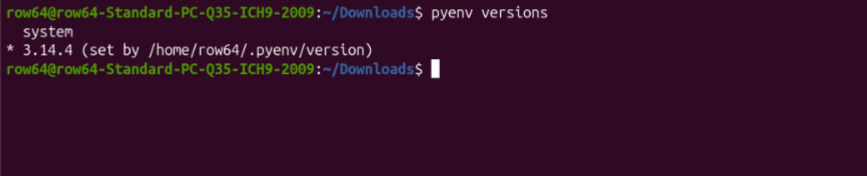
To verify that Pyenv is set up correctly, run the following command:
pyenv versions
If Pyenv is present on your system with a dedicated Python instance, you should see an output for system and a Python version number, such as 3.14.4. There should be an asterisk next to the Python version number, indicating that it is set as the current Python instance.
row64tools
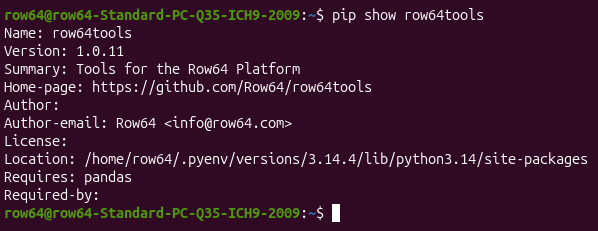
Run the following command to ensure that row64tools is present on your system:
pip show row64tools
If row64tools is present, you should receive an output with version information:
If you do not have row64tools installed, please see the row64tools Installation page.
If you have an existing or older version of row64tools on your system, use the following command update it:
pip install --upgrade row64tools
With row64tools present and up to date on your system, you will be able to utilize the DashAPI. To learn the basics of accessing and operating the DashAPI, please proceed to the DashAPI Basic Usage page.