Pane Text and Equations
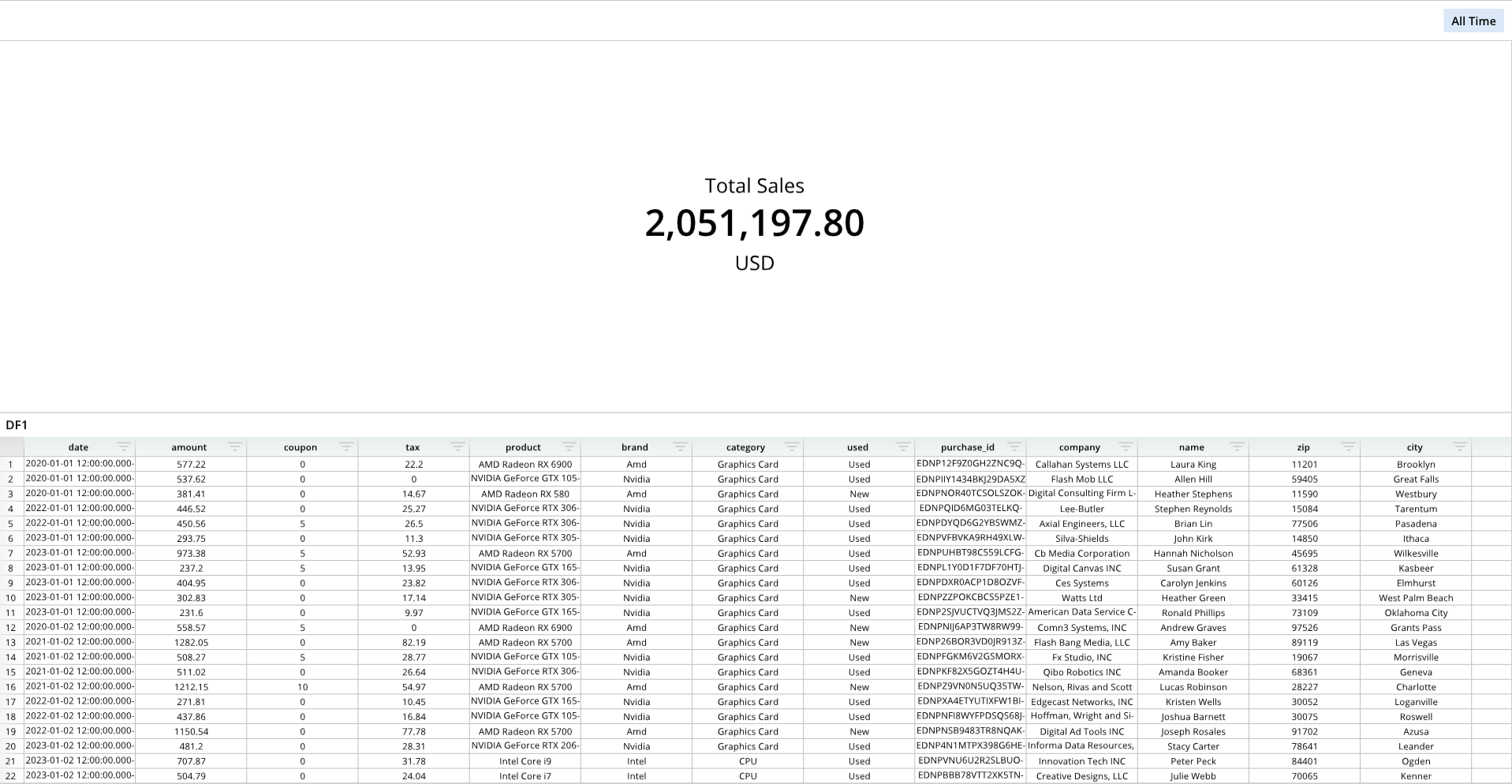
Text and equations can be added to dashboard panes and formatted.
Required Components
Adding and formatting text and equations to dashboard panes requires the following components:
paneDef = []- A list that contains the text, equations, and formatting to be applied on a dashboard pane.
dash.set_pane_def()- A function that sets the text or equation onto the dashboard pane.
- This function takes the
paneDeflist as an argument, as well as the name of the destination pane.
Components Syntax
paneDef
paneDef = [
    ["CONTENT_TYPE","CONTENT","TEXT_FORMATTING", "NUMBER_FORMATTING"],
    ...
]
The paneDef list contains the text or equation, and formatting, to be applied on a dashboard pane. This list simply contains the content and formatting, and does not place the content on a dashboard pane; the dash.set_pane_def() function must be used separately to place the content of the paneDef list.
CONTENT_TYPE- Indicates the type of content.
- Options can include
"Text"and"Equation". - If including multiple instances of text or equations, the CONTENT_TYPE instances must be different to prevent overriding the argument. For example, for adding two instances of text to a single pane, one instance can be
"Text", and the other can be"Text2". Keeping both as"Text"will result in the first instance being overwritten with the content of the second instance.
CONTENT- The content.
- Text example:
"Total Sales" - Equation example:
"=SUM(DF1!B:B)"
- Text example:
- The content should match the content type. For example, when using an equation, "Equation" should be specified in the CONTENT_TYPE field.
- If the CONTENT does not match the CONTENT_TYPE, it will not display.
- The content.
"TEXT_FORMATTING"(Optional)- An optional argument that is used to format the visual appearance of the text.
- This argument accepts text format codes.
"NUMBER_FORMATTING"(Optional)- An optional argument that is used to format a number.
- This argument accepts number format codes.
dash.set_pane_def()
dash.set_pane_def("PANE_NAME",paneDef)
The dash.set_pane_def() function adds the paneDef content to a designated dashboard pane.
"PANE_NAME"- The name of a pane from the pane list (
pList) that the text should be placed on. The name provided for this argument should match a pane name from the pane list.
- The name of a pane from the pane list (
paneDef- The
paneDeflist, which contains the content and formatting to be applied.
- The
Code Example
# Module import
from row64tools.dash64 import dash64

# Dashboard save path
dash = dash64("/var/www/dashboards/temp/panetext.dash")

# Pane list
pList = [
    ["Dashboard",       "",             "1600",     "900",  "y"],
    ["TopPane",         "Dashboard",    "*",        "*",    ""],
    ["BottomPane",      "Dashboard",    "*",        "50%",  ""]
]

# Set panes
dash.Layout.set_panes(pList)

# Import a dataframe
dash.add_ramdb("/var/www/ramdb/live/RAMDB.Row64/Examples/HardwareSales.ramdb","DF1")

# Add the dataframe to a pane
dash.add_df("DF1", "BottomPane")

# Pane definition list
paneDef = [
    ["Text","Total Sales","H2V2S26E12"],
    ["Equation", "=SUM(DF1!B:B)","BS48","#,##0.00"],
    ["Tex2","USD","H2V2S26"]
]

# Apply the paneDef to a pane
dash.set_pane_def("TopPane",paneDef)

# Save the dashboard
dash.save()