Number Formatting
Number formatting in the DashAPI follows the exact same format codes scheme as what's used in functions. For a tutorial in number formatting, please see the Number Formatting page in the Functions Docs section.
A DashAPI example that utilizes number format codes includes:
from row64tools.dash64 import dash64
dash = dash64("/var/www/dashboards/temp/ssheet.dash")
pList = [
    ["Main",            "",             "1600",     "900",  "y"],
    ["TopPane",         "Main",         "*",        "20%",  ""],
    ["MidPane",         "Main",         "*",        "*",    ""],
    ["BottomPane",      "Main",         "*",        "20%",  ""]
]
dash.Layout.set_panes(pList)
ssDef = [
    ["A1","Item","BCfa0f4cOFFFFFF"],["B1","Amount","BCfa0f4cOFFFFFF"],
        ["A2","Item 1:"],["B2",    "4.12"],
        ["A3","Item 2:"],["B3",    "6.44"],
        ["A4","Item 3:"],["B4",    "31.23"],
        ["A5","Item 4:"],["B5",    "5.39"],
        ["A6","TOTAL:","B"],["B6", "=SUM(B2:B5)","B","#,###.00"],
]
dim = [0, 0, 1, 5]
dash.add_spreadsheet("Sheet1", dim, ssDef, "MidPane")
dash.save()
This produces a table that resembles the following:
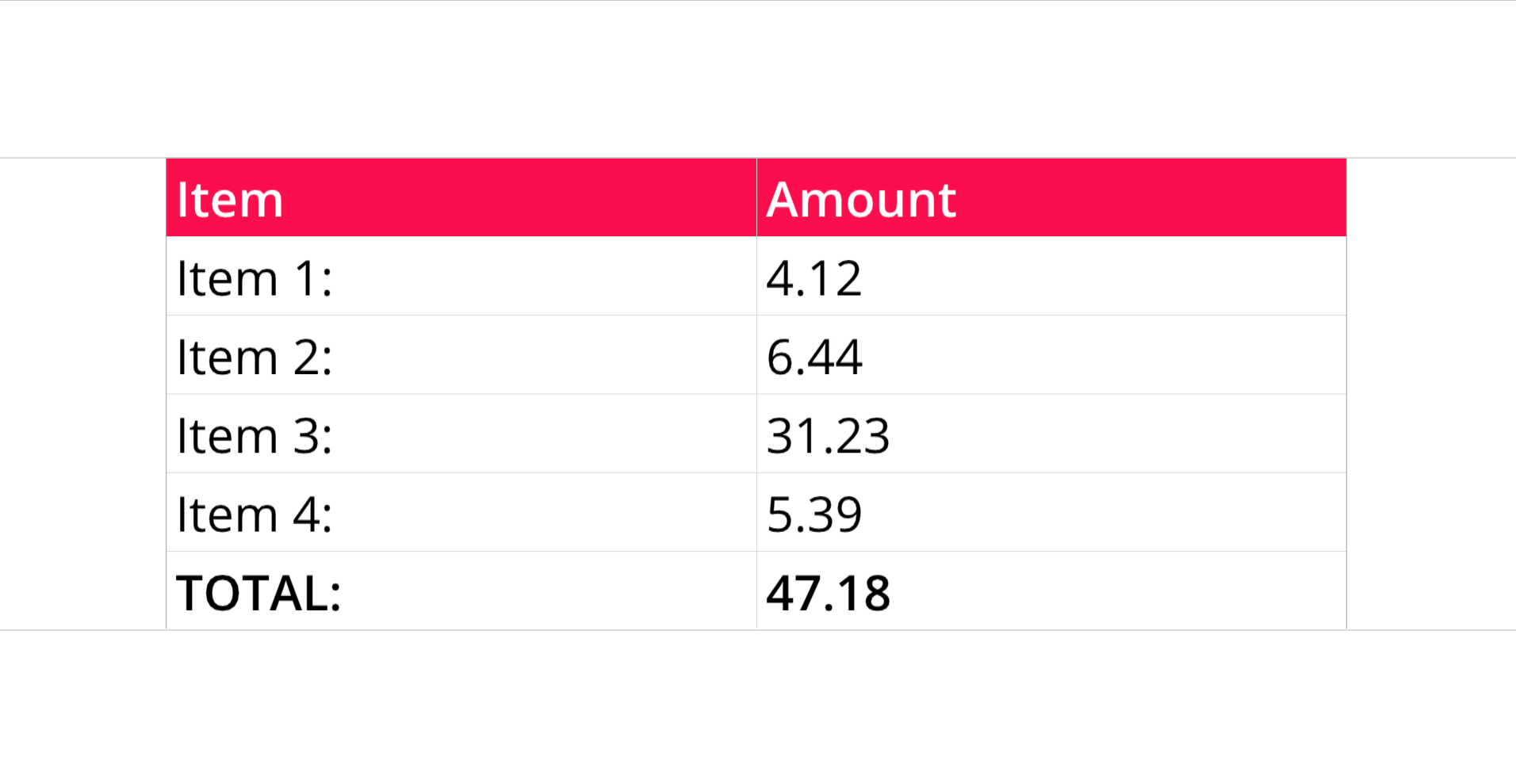
The first four values (Item 1, Item 2, Item 3, and Item 4) are static values, which can be seen in the B2 through B5 entries in the code. No number formatting has been applied to these cells. The final value, B6 (TOTAL), is the sum of all the previous values. Since B6 is dynamic, a number format code was applied so that only two decimal places are displayed. In this example, the number format code, as seen in the B6 entry, is: #,###.00. The Number Formatting page in the Functions Docs provides a list of available number format codes.